What can foreign travelers use?
China's official visitor payment guidance describes mobile wallets, international bank cards and RMB cash as options. Eligible Visa and Mastercard cards can be linked to Alipay and WeChat Pay under applicable terms.
Cash is still accepted everywhere by law, but many small vendors prefer QR payment and may not have change for large notes — plan to break ¥100 notes at larger stores.
Set up Alipay
Do this before departure — identity verification can take a day. Download the official Alipay app, register with a phone number you control, complete passport-based identity verification, then bind your foreign bank card under Me → Bank Cards and finish your card issuer's verification step.
Use a phone number that can receive SMS abroad — both the wallet and your bank may send verification codes during setup. If codes do not arrive, check that international roaming is enabled before retrying.
As of October 2026, Alipay charges no international-card service fee on single payments of ¥200 or less; payments above ¥200 typically add about 3%. Check the app's current fee notice before large purchases.
While you are in the app, open the Transport section and set up your arrival city's metro QR code — it saves fumbling with ticket machines on day one. If menus appear in Chinese, switch the language under Me → Settings → Language.
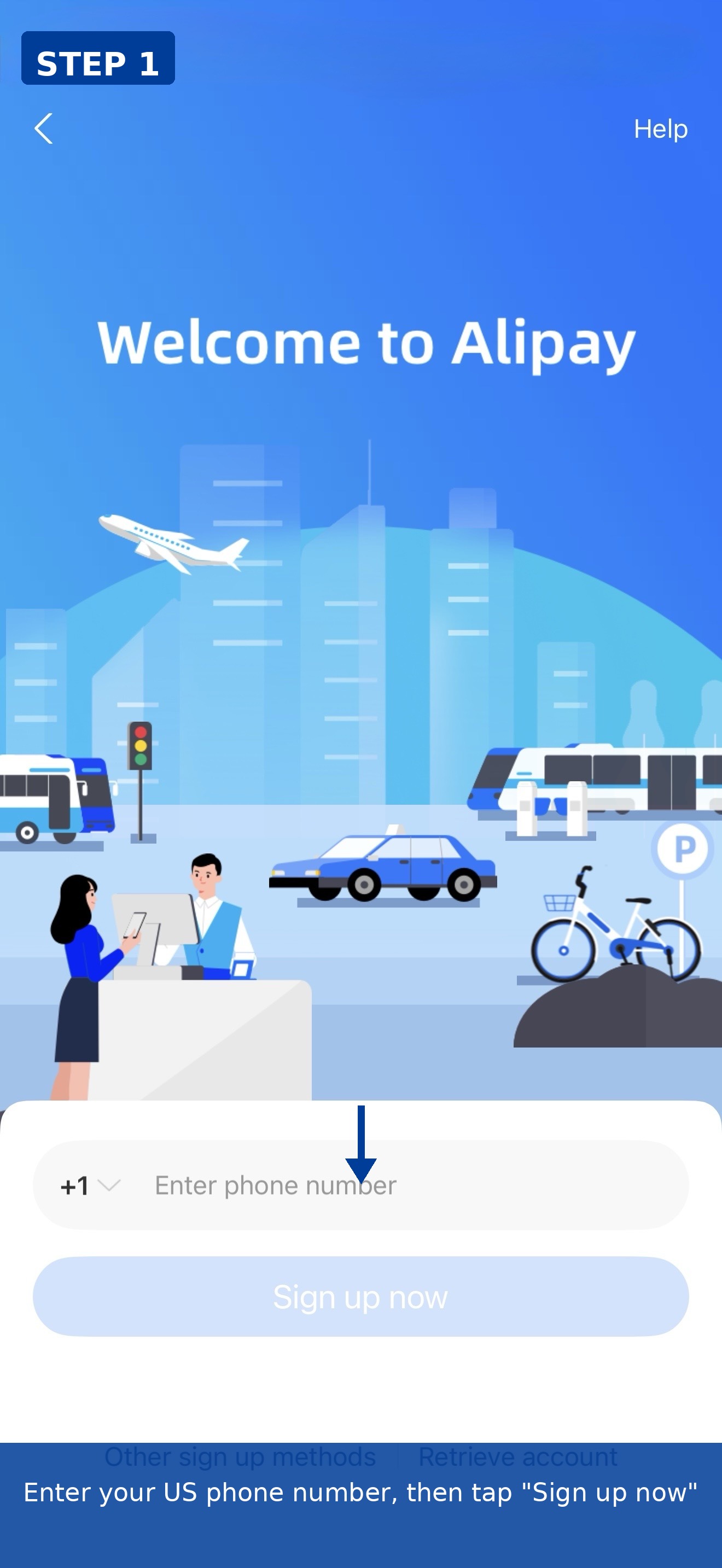
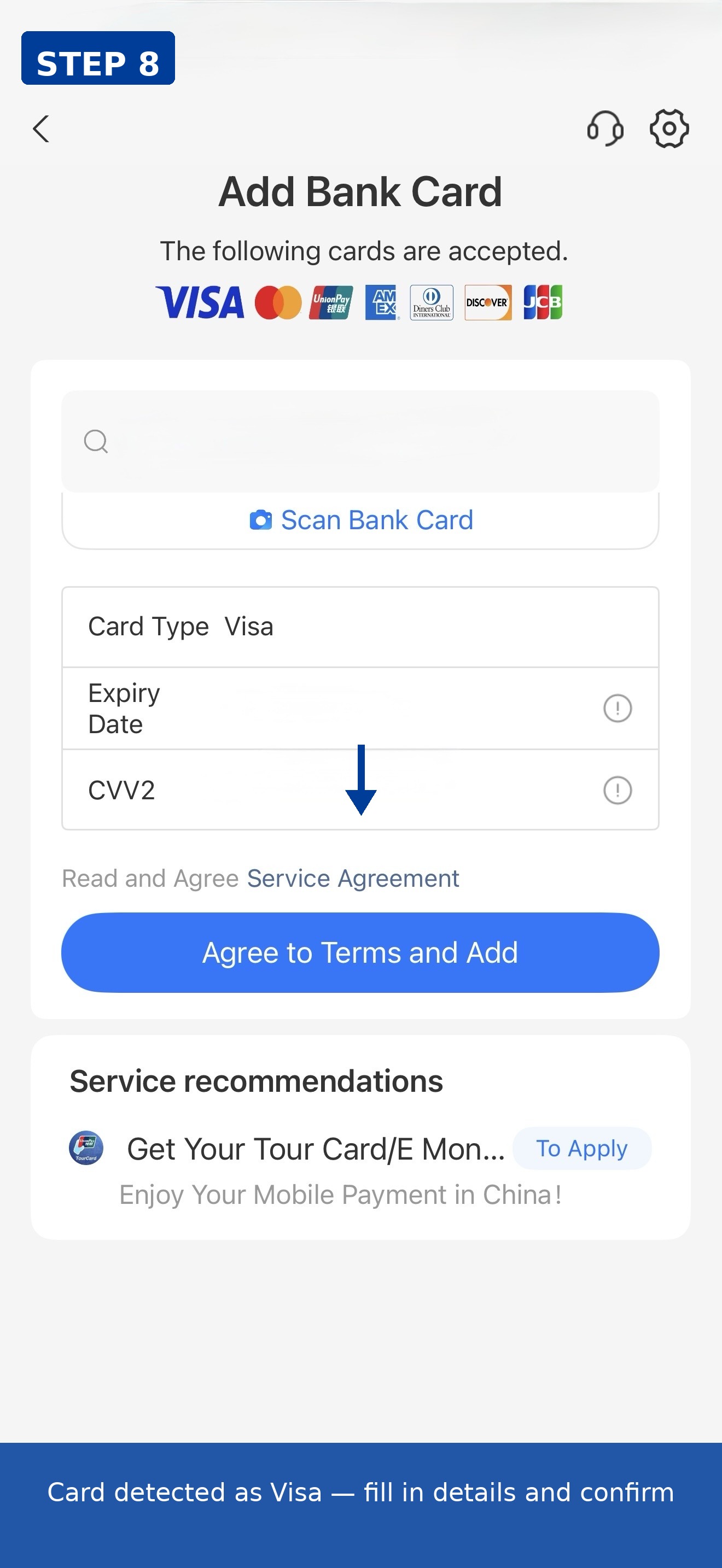
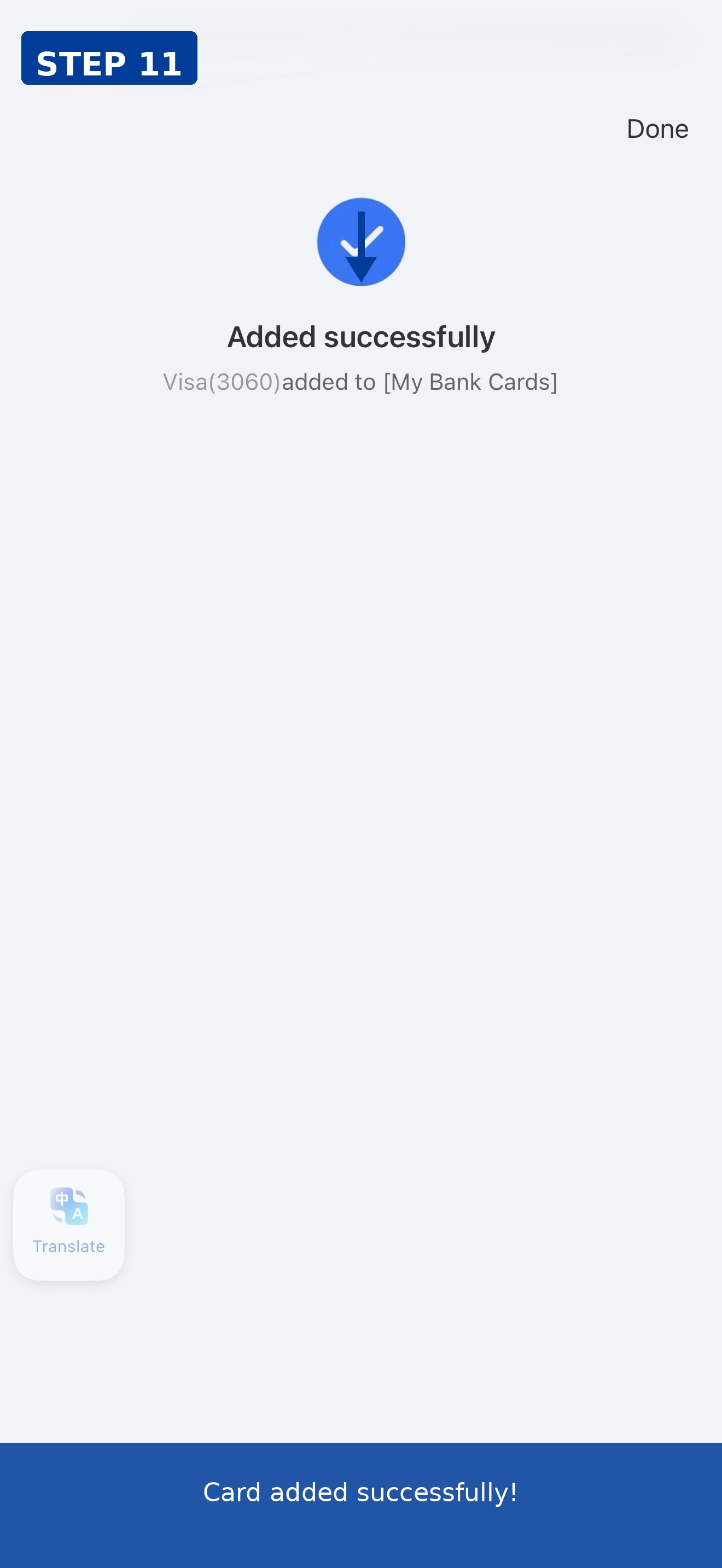
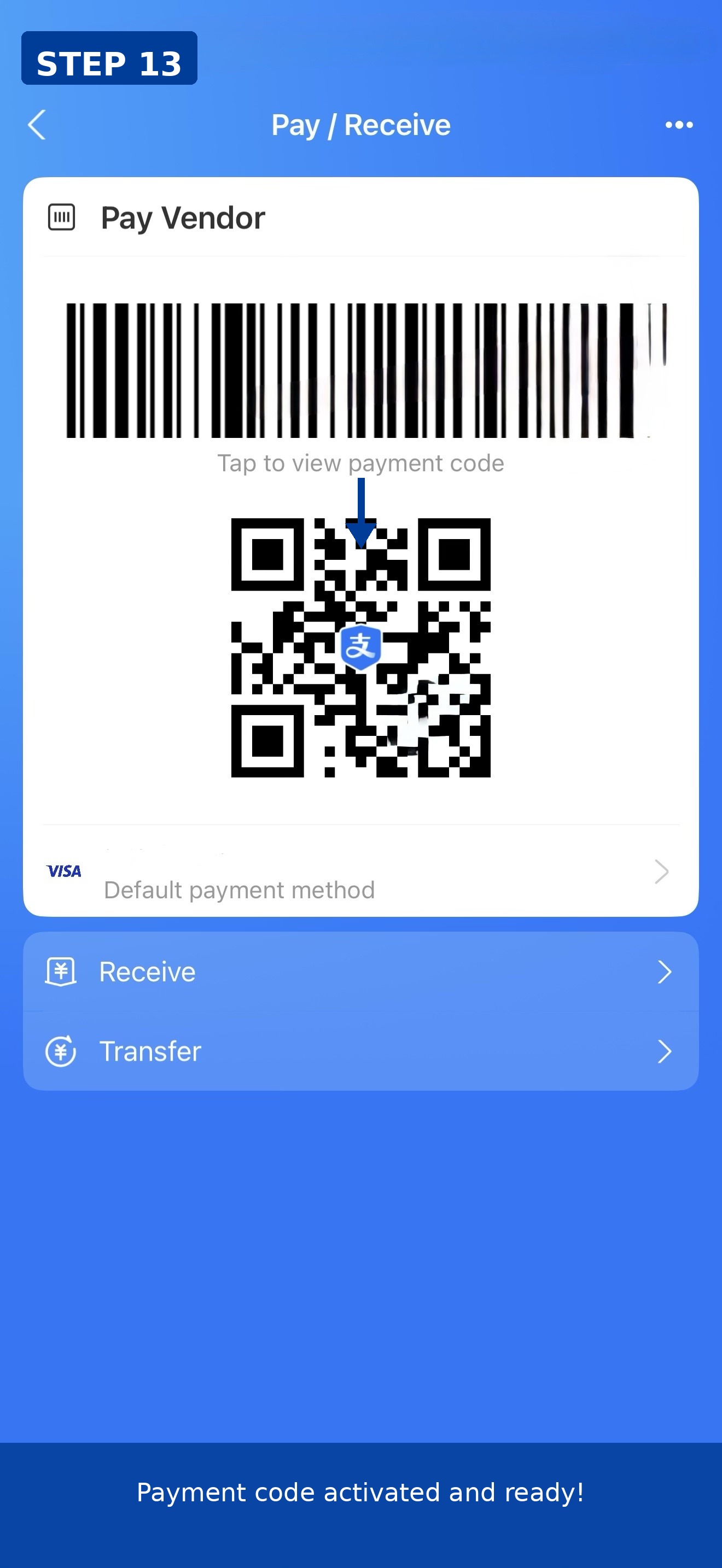
We registered a new Alipay account with a US mobile number and linked a Visa card from start to finish. Registration required: US region selection, mobile number, service agreement consent, SMS verification code, and ID country/region selection — 13 steps total. Card linking path: Pay/Receive → Add a Card → enter card number. The card number field auto-detected the card as Visa. After entering the expiry date and CVV2, we agreed to the terms, passed the security environment check, set a 6-digit payment password, and saw the "Added successfully" screen (Visa ending 3060). The payment QR code required a separate activation step (enter payment password → Activate now). Result: card linked successfully, payment code active. No Chinese phone number was needed at any step.
Set up WeChat Pay
Install WeChat, then open Me → Services → Wallet to find the payment functions. Complete identity verification with your passport, add your foreign bank card, and confirm the card works for QR payments before you travel.
WeChat Pay's foreign-card limits and fees change often. Check the fee notice inside the wallet for the current rules before you rely on it.
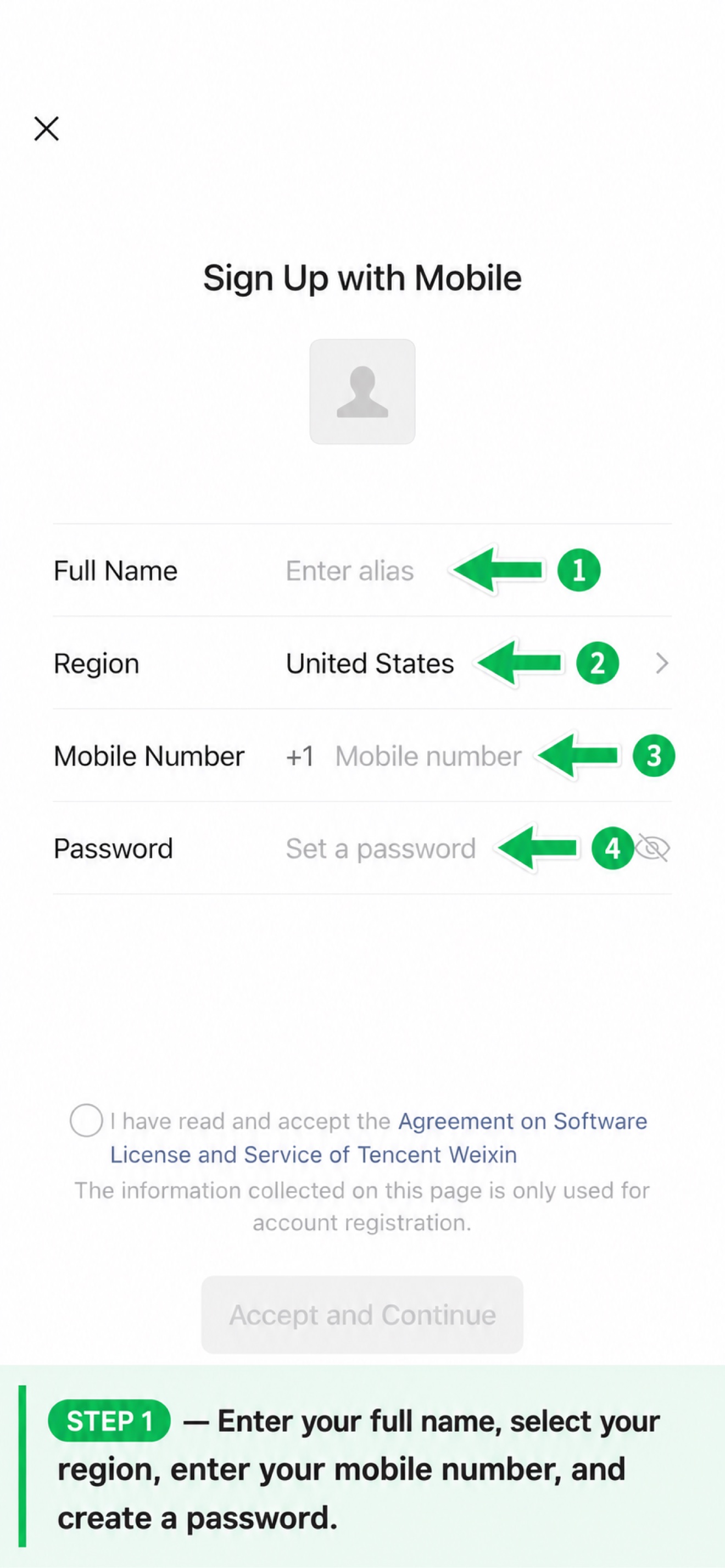
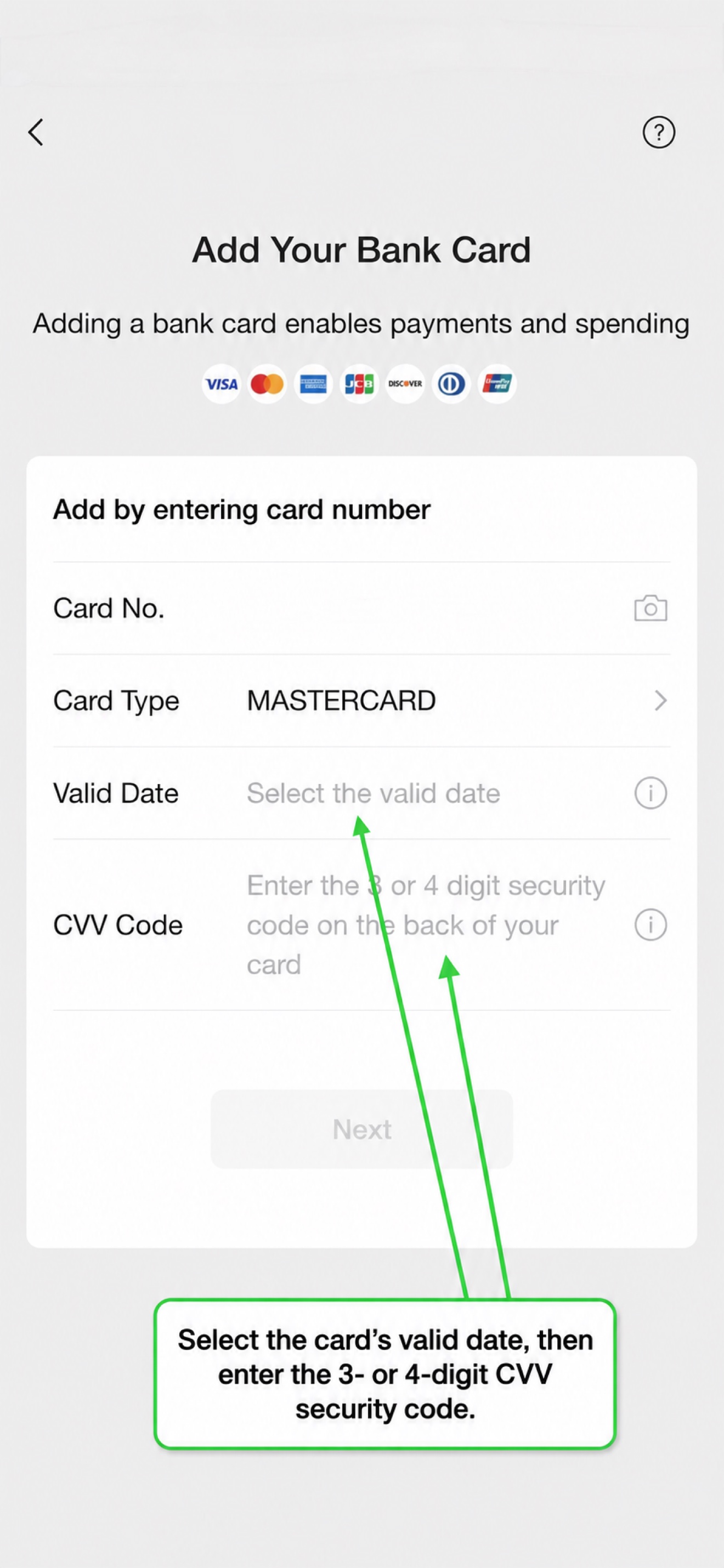
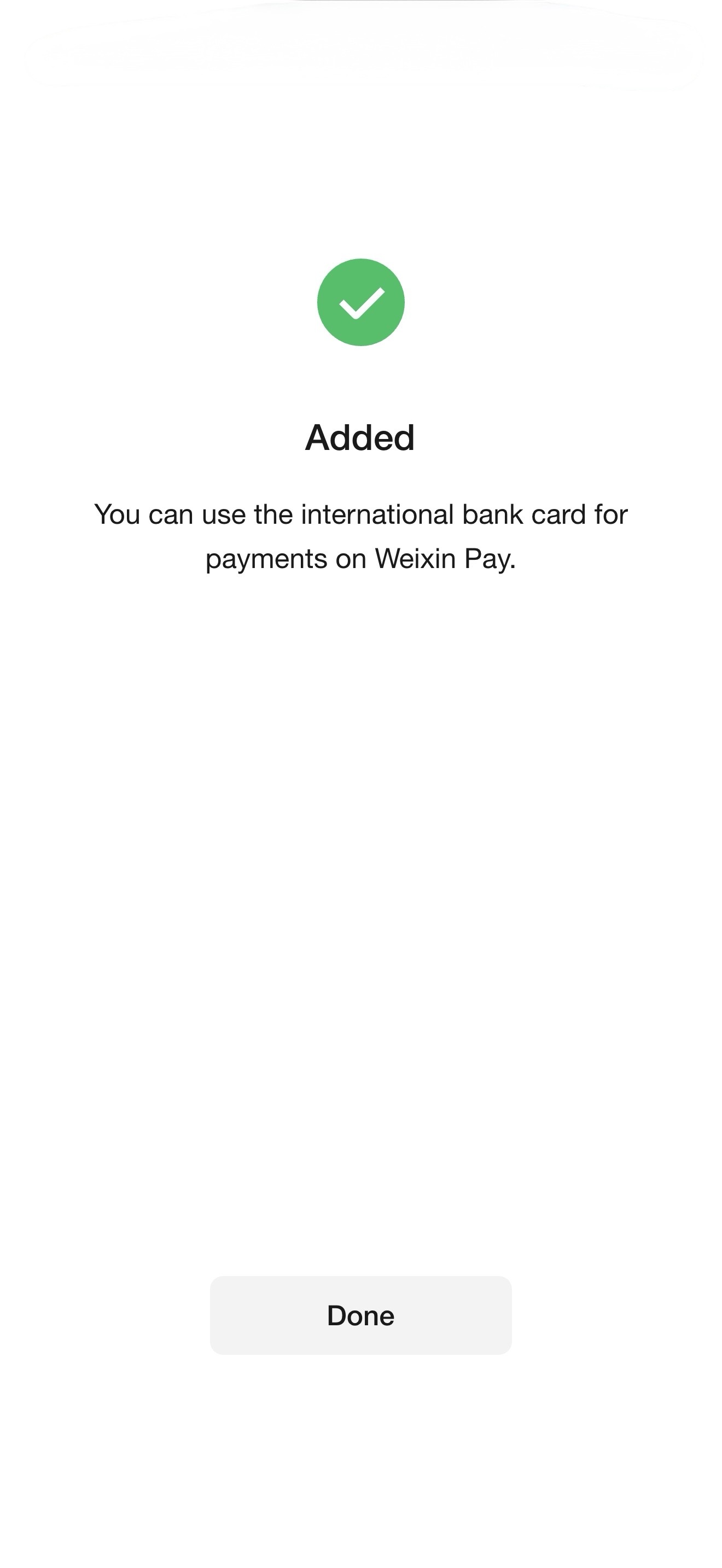
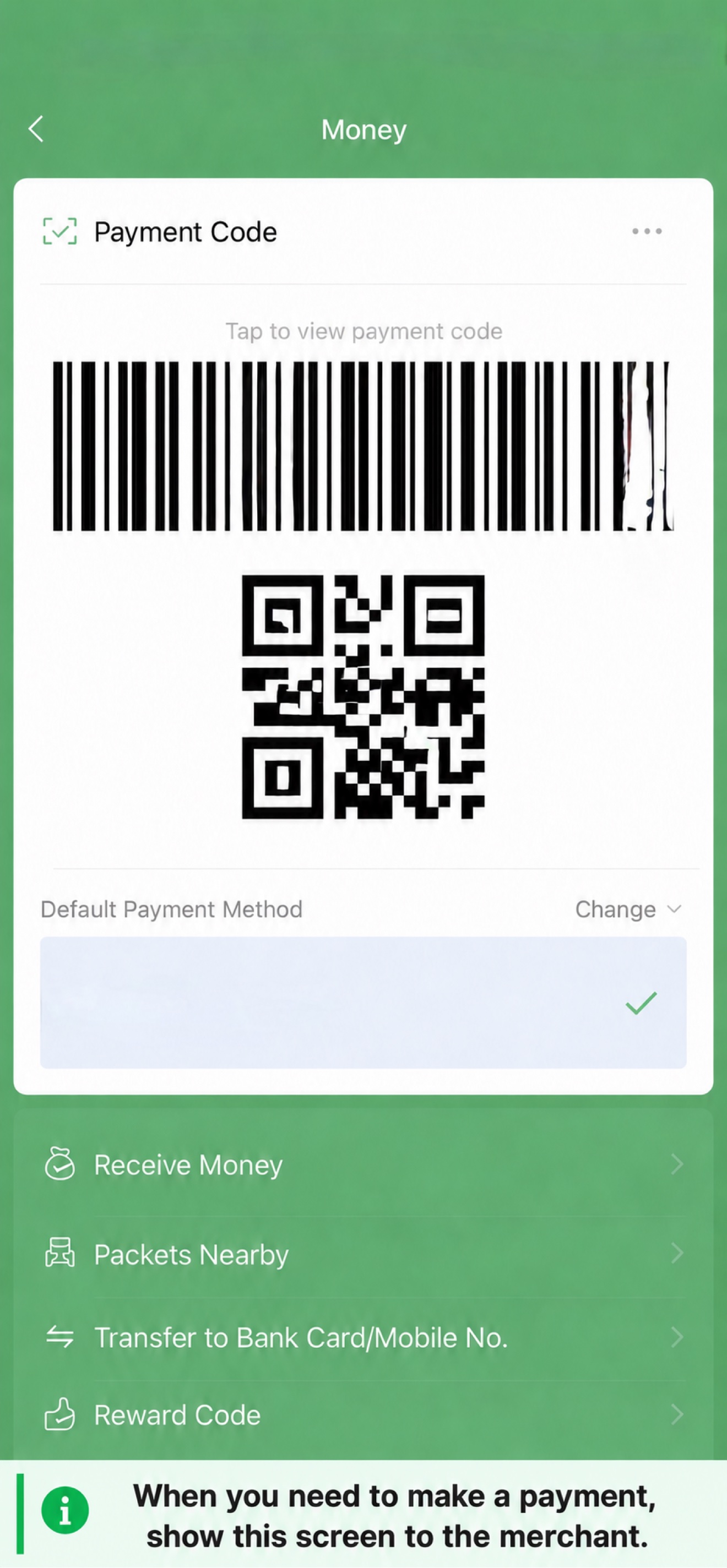
We registered a new WeChat account with a US mobile number and linked an American Savings Bank Mastercard from start to finish. Registration required: full name, US region selection, mobile number, password, privacy policy consent, age verification (birthdate picker), and terms acceptance — 9 steps total. Card linking path: Me → Pay and Services → Wallet → Bank Cards → Add a Bank Card. The card number field auto-detected the card as Mastercard. After entering the expiry date and CVV, we set a 6-digit Weixin Pay password, confirmed it, and saw the "Added" success screen. The payment QR code required a separate activation step (Agree and enable → identity verification with the payment password). Result: card linked successfully, payment code active. No Chinese phone number was needed at any step.

Learn both QR flows
Some shops display a merchant QR code that you scan and authorize. Others scan your wallet's payment code. The amount and shop details should be confirmed before paying.
In practice, letting the merchant scan your payment code is usually faster, while small street stalls often prefer that you scan their code.
Handle failed transactions
An app may fail because of connectivity, issuer checks, unsupported merchant categories, verification or transaction limits. Check whether the first attempt is pending before retrying.
Common fixes: switch from Wi-Fi to mobile data, confirm the amount is below your card's single-transaction limit, and try the other wallet. If a merchant's personal QR code rejects your foreign card, ask whether they accept a bank-card payment or pay cash.
Test after arrival
Make one inexpensive purchase and confirm you see the successful payment in your app. Then verify that your backup method is ready.
A convenience store is ideal for the first test: the amounts are small, staff see foreign wallets daily, and you can ask for help if the QR flow confuses you.

Troubleshooting: when payments fail
Even with everything set up correctly, payments can fail. Here are the most common failure modes and how to fix them.
Card linked but payment declined at checkout
- Read the exact error on the failure screen. "Merchant does not support payment via international bank cards" means the shop is using a personal collection code, which foreign cards cannot pay. Ask for a merchant QR code, offer your own payment code to be scanned, or pay with cash.
- "Issuer declined" or "Bank declined" means your own bank refused the charge. Retry once, then enable international and online payments in your banking app, or call your bank to authorize charges from Alipay or WeChat Pay in China.
- "Limit exceeded" or a prompt for ID means you hit the unverified-account allowance. Complete identity verification (Alipay: Me > Settings > Account & Security), then pay again. For large bills, ask the merchant to split the payment.
Face or identity verification fails repeatedly
- The most common cause is a name mismatch. Set your profile name to the Latin name exactly as printed in your passport's machine-readable zone, in uppercase English, including every given name and matching the cardholder name on your linked card.
- For photo failures, retake in daylight with the passport flat on a white surface, camera about 20 cm back, no glare or cropped edges. For face checks, remove glasses and hats, look straight at the camera, and do not smile.
- Complete verification before you fly, on a stable connection without toggling VPN. Repeated failed attempts can trigger security restrictions that make things worse.
SMS verification code never arrives
- Confirm your phone can receive international SMS: enable roaming, check the country code is correct, and disable any SMS blocking from unknown senders. Then toggle between Wi-Fi and mobile data and request the code again.
- Check whether the code is actually coming from your bank rather than the payment app. Some card-linking verifications are sent by the card issuer, so look for pending approvals in your banking app too.
- If SMS still fails, register with your email address instead. Phone numbers from certain countries are not supported for SMS delivery.
Frequently asked questions
Can I pay directly with a foreign bank card everywhere?
No. Large retailers, hotel chains and major restaurants usually accept foreign cards, but small vendors, street stalls and some transit ticket machines may not. Always keep a wallet app or cash ready.
Do foreign cards always work in Alipay or WeChat Pay?
No. Success depends on your card network, your issuer's fraud rules, whether identity verification is complete, and the merchant's category. A card that works at a supermarket can still fail at a street stall.
Which option should I set up first?
Set up Alipay first — it is the most foreigner-friendly option. Add WeChat Pay as a backup, and carry a small amount of cash for places that accept neither.
Official sources
Visit these original sources for the latest policy and service details. Procedures may change after this article's review date.
Keep reading, or turn this information into a practical travel plan.
Editorial review: October 13, 2026. This independent guide is general information. Confirm important immigration, legal and financial procedures with official providers.